StartOS
Sovereign computing, for everyone. StartOS turns any computer into a private server for the services you depend on, and runs it all from your browser. Free, open source, and yours to keep.
Self-hosting without the terminal
For as long as there have been servers, owning one meant living in a terminal, and so most people rented instead: their photos, their files, their passwords, their money, all on someone else's machine and someone else's terms. StartOS was built to end that trade. It is a Linux distribution with one purpose, running a personal server, and it does the work of owning one for you.
No command line
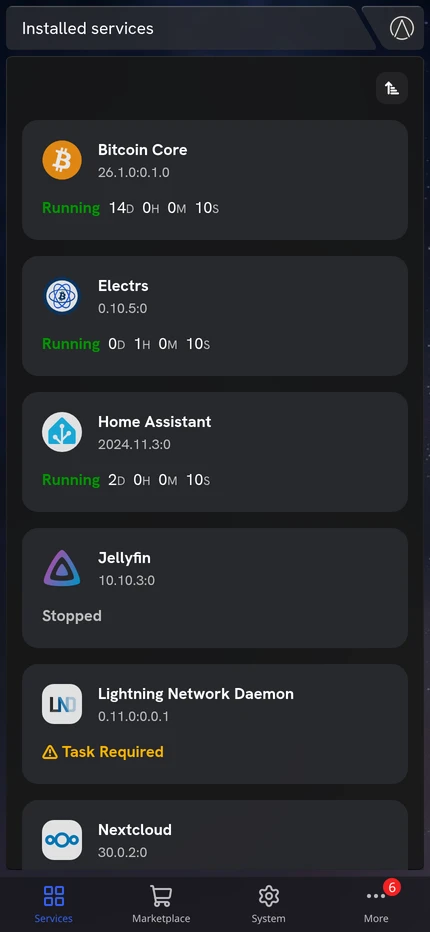
Discover, install, configure, monitor and back up services from a browser. Commands become buttons, setup becomes a guided task, and a terminal is there only for those who want one.
Nothing changes without you
Nothing updates on its own. Every update to StartOS or to a service waits for your approval, with its release notes to read first.
Nothing leaves without you
Keys, session tokens and internal state live in a private layer that never leaves the server. You decide which services can be reached, by whom, and from where.
Runs on what you own
A mini PC, a desktop, a laptop or a Raspberry Pi 4. StartOS is published for x86-64, ARM64 and RISC-V, and it is the same software on a Server One as on a machine of your own.
Replace the cloud one service at a time
Much of the finest software ever written is free and open source, and the Start9 Marketplace puts it one click from running on your own machine. It is a network of registries anyone can run, so no one can close it on you.
Open Marketplace
The Marketplace is a network of registries, like stores in a mall, each with its own catalog. StartOS comes with the Start9 Registry and the Community Registry. Anyone can run another, adding one takes seconds, and a package can be sideloaded straight from a file. No single company decides what your server may run.
 Start9registry.start9.com
Smart Services
A service on StartOS is the upstream project itself, wrapped in a package that teaches StartOS how to run it. The package turns configuration files into validated forms and commands into buttons, declares its health checks and dependencies, chooses what to back up, and offers every way to reach it. The same software, without the friction.
Container Isolation
Each service runs in an isolated LXC container with its own filesystem, network namespace and resource limits, and reaches the rest of the system only through a narrow, controlled API. Every package is signed, and StartOS checks the signature before it installs anything.
Dependency Management
A service declares the other services it needs, and StartOS tells you when one is missing or running a version it cannot work with. Nothing is installed or changed without you. If the pairing needs configuring, a task links straight to the right action with its fields already filled in. After that the two find each other on their own, with no networking to set up.
Health Checks
Every service reports on itself: whether its web interface is up, whether its database is ready, how far along a long first sync has come. A check that is still loading says what it is doing, so a slow start is never a mystery.
Tasks
When a service needs something from you, it says so. Tasks are marked Required, Important or Recommended. A service with a Required task waits until it is done, and every task clears itself once its action has run.
Actions
The commands, scripts and API calls an administrator would otherwise type are packaged as actions: buttons with optional forms that check what you enter before anything runs, and that show you the result, with secrets hidden until you reveal them.
Notifications
A finished backup, a failed update, a service with something to report: StartOS gathers them in one place, each labelled with the service that sent it, and with the full story a click away.
Backups
Back up the whole server, or only the services you choose, to a drive plugged into it or to a shared folder on another computer on your network. Backups are encrypted with your master password. Each new backup updates the one already on its target, so keep more than one target for more than one restore point. Restore a single service, or the whole server onto new hardware.
SMTP
Give StartOS the credentials for an SMTP provider, such as Forward Email, Gmail or Proton Mail, and the services that send email can use them. Any one of them can take credentials of its own instead.
Interface Addresses
Each service lists every address it can be reached at: its LAN and IPv6 addresses, its .local name, your public IP and your domains. Each one turns on or off on its own, and public addresses stay off until you turn them on.
Inbound Gateways
Your router and a StartTunnel server are inbound and outbound gateways: they carry your server's traffic out and let visitors in. When you make an address public, StartOS asks the gateway to open the port itself, and closes it again when you turn the address off. StartTunnel answers on its own; StartWRT does once you allow it for your server.
Outbound Gateways
Add the WireGuard configuration from any VPN provider and StartOS recognizes it as an outbound-only gateway: traffic leaves through it, and nothing arrives by it. Send the whole server through it, or only the services you choose.
Outbound Traffic
Set one way out for the whole server, then send any service a different way: one service through a VPN, another over your home connection. Each service follows the system setting until you choose otherwise. A chosen gateway is a kill switch: if it goes down, that traffic stops rather than leaking out another way.
Private Domains
Give a service any name you like, a domain you own or one you make up, and reach it by that name at home or over your VPN, secured by your server's own certificate authority. On StartWRT, the DNS record publishes itself.
Public Domains
Put a service on the open internet at your own domain, with a Let's Encrypt certificate. StartOS tests the DNS records and the port forwarding for you and walks you through any fix. Through StartTunnel, visitors see the tunnel's address, never your home's.
Tor
Install the Tor service and any interface can have an onion address, reachable from anywhere with no domain, no static IP and no port forwarding, and hard to censor. Bring your own key for a vanity address.
In your pocket
Add StartOS to your phone's Home Screen and it opens like an app: full screen, with its own icon.
Made for a phone Everything you can do from a computer, you can do from your phone.
Nothing in between It talks to your server directly: no app store, no cloud account, no one else's servers.
Home or away On your home network, or from anywhere over your VPN.

Getting StartOS
Install it yourself
- DownloadImages for x86-64, ARM64 and RISC-V. Standard adds proprietary firmware for broad hardware support, Slim is 100% open source, and NVIDIA adds the driver and container toolkit for a supported GPU.
- VerifyCheck the checksum, and the signature from a key held on a maintainer's own computer, never a Start9 server.
- Flash and bootWrite the installer to a USB drive and boot a mini PC, desktop or laptop from it. A Raspberry Pi 4 is flashed straight to its card.
- Finish in a browserComplete setup at start.local from any computer on your network. No terminal required.
Buy a Server One
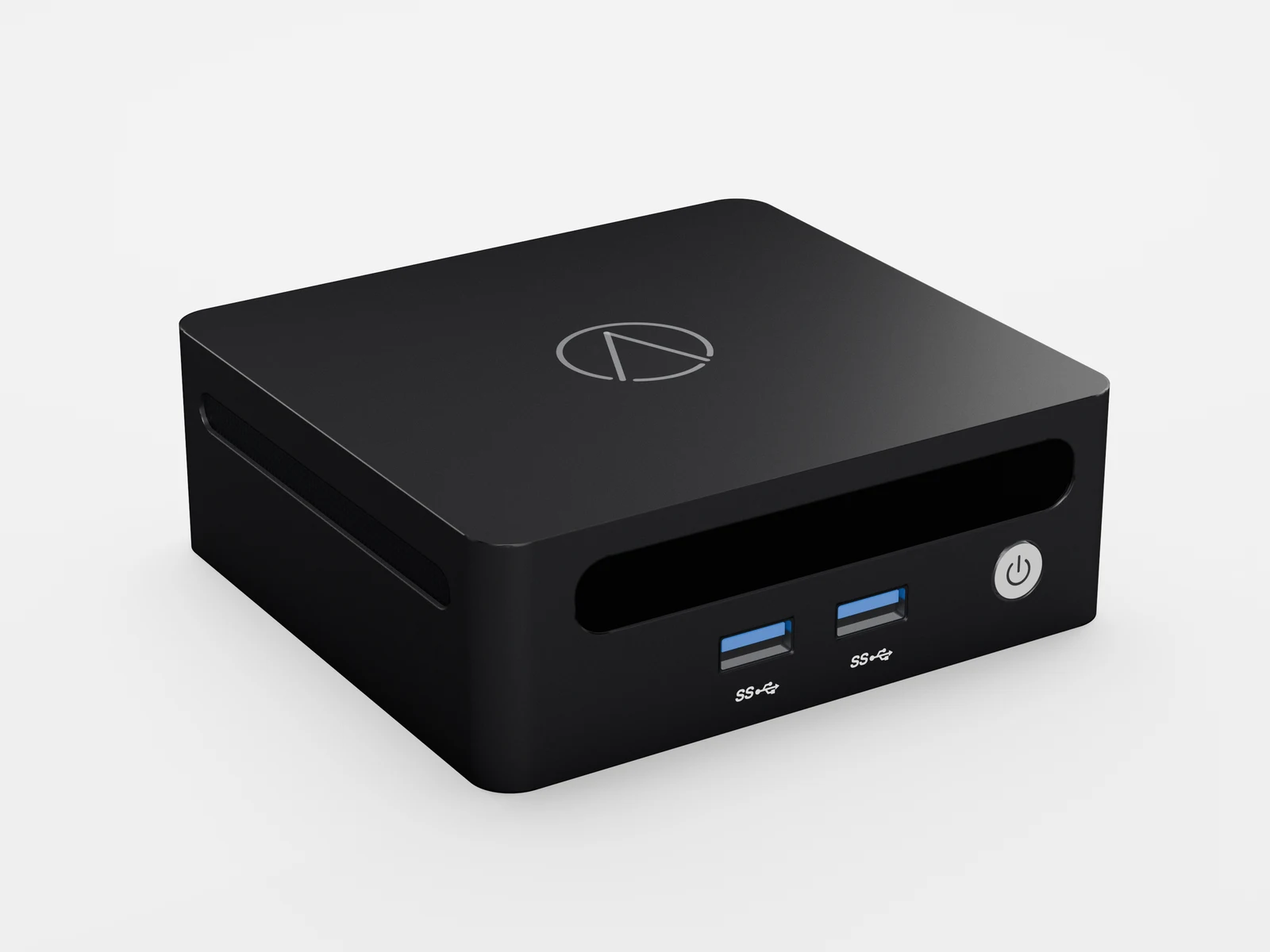
- StartOS, installed and tested.
- A one-year limited hardware warranty.
- A year of Premium Support.
- A hand in funding the free software itself.
For developers
The codebase
The backend is Rust, on Tokio and Axum, compiled into one binary that serves as daemon, CLI and utilities. The frontend is Angular with Taiga UI. The runtime that supervises each service is Node.js and TypeScript. Each service runs in its own LXC container. State is Patch-DB; networking is WireGuard, Tor, mDNS and ACME. Builds target x86-64, ARM64 and RISC-V. Issues and pull requests are accepted.
Packaging a service
A service is packaged once as a
.s9pk , written in TypeScript against @start9labs/start-sdk and built with start-cli , and from then on users install, configure and maintain it from the dashboard with no terminal on their end. Where it is distributed is the developer's call: your own registry, the Start9 community registry, or both. Host a registry
A registry is the server that indexes and distributes packages, and anyone can run one. Install the StartOS Registry service, add an administrator and signers, and publish with
start-cli . StartOS users add its address to their Marketplace and install from it directly: for private testing, for friends, customers or an organization, or for packages you keep outside Start9's pipeline.